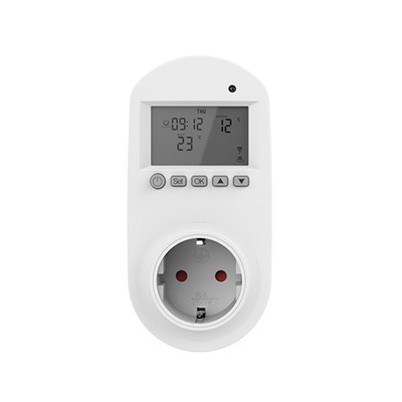
Will Long-Term Standby Without Use Affect the Lifespan of Thermostat Internal Components?
Leave a message
If you've ever gone on a long vacation, moved to a new home, or simply stopped using your thermostat for an extended period, you've probably wondered: Does leaving a thermostat in standby mode for too long damage its internal components? It's a common question, and the answer isn't as straightforward as a simple "yes" or "no"-but understanding the impact can help you protect your device, save money, and avoid unexpected breakdowns when you need it most.
First, let's clarify what "standby mode" means for a thermostat. Most modern thermostats-whether digital, smart, or programmable-enter a low-power standby state when not actively controlling your HVAC system. In this mode, the device uses minimal electricity to maintain basic functions: keeping the display active (if applicable), retaining programmed settings, and staying ready to resume operation at a moment's notice. But what happens when this standby period stretches from weeks to months, or even longer?
Key Components at Risk: What Gets Affected?
Thermostats are made up of several critical internal components, each with different vulnerabilities to long-term standby. Let's break down the most important ones and how standby mode impacts them:
1. Batteries (If Equipped)
Many thermostats-especially non-hardwired models-rely on AA or AAA batteries to power their standby mode. When left in standby for months, these batteries will gradually drain, even if the device isn't actively controlling your HVAC. A fully drained battery doesn't just render the thermostat useless; it can also lead to battery leakage. Corrosive battery acid can seep into the thermostat's internal circuitry, damaging circuit boards, connectors, and other sensitive parts. This is one of the most common and preventable issues with long-term standby.
2. Circuit Boards
The circuit board is the "brain" of the thermostat, handling all its electronic functions. While modern circuit boards are designed to withstand low-power standby, prolonged inactivity can lead to a few problems: dust accumulation (which can cause overheating or short circuits) and capacitor degradation. Capacitors store electrical energy to help the thermostat start up smoothly; over time, even in standby, they can lose their ability to hold a charge, leading to slow response times or complete failure when you try to use the thermostat again.
3. Sensors
Thermostats use temperature and humidity sensors to detect environmental conditions and adjust your HVAC system accordingly. These sensors are delicate, and long-term standby-especially in dusty or humid environments-can cause them to become inaccurate. Dust buildup on sensors can skew readings, while humidity can lead to corrosion, making the thermostat less reliable when you need it to regulate your home's temperature.
4. Display Screens
LCD or LED displays on thermostats are designed to be energy-efficient, but leaving them on standby for months can cause screen burn-in (though this is less common with modern displays). More importantly, the backlight or display panel itself can degrade over time with constant low-power use, leading to dimmer screens or dead pixels.
Is All Standby Bad? The Difference Between "Good" and "Bad" Standby
Not all long-term standby is harmful. The key difference lies inhow you prepare the thermostat for inactivity and the environment it's in. For example:
A thermostat in a clean, dry, temperature-controlled space (like a vacant home with moderate heat or AC) will fare better than one in a dusty, humid basement or an uninsulated attic with extreme temperature swings.
Hardwired thermostats (powered by your home's electrical system) are less at risk than battery-powered ones, as they don't rely on disposable batteries that can leak.
Short-term standby (a few weeks) is rarely a problem-most components are designed to handle occasional inactivity. It's when standby stretches to 3 months or more that you need to start worrying.
5 Tips to Protect Your Thermostat During Long-Term Standby
The good news is that you can easily mitigate the risks of long-term standby with a few simple steps. Follow these tips to keep your thermostat's internal components in good shape:
Remove the Batteries (If Applicable): If your thermostat uses batteries, take them out before leaving it unused for more than a month. This eliminates the risk of leakage and battery damage.
Clean the Thermostat Before Standby: Wipe down the exterior and interior (if accessible) with a soft, dry cloth to remove dust. This prevents dust from accumulating on sensors and circuit boards.
Turn Off the Power (For Hardwired Models): If your thermostat is hardwired, turn off the power to it at the circuit breaker. This cuts off all electricity, reducing wear on capacitors and circuit boards.
Store It Properly (If Removing): If you're removing the thermostat entirely (e.g., during a home renovation), store it in a clean, dry, cool place-away from direct sunlight, moisture, and extreme temperatures.
Test It After Standby: When you're ready to use the thermostat again, test it thoroughly. Check if the display works, the sensors are accurate, and it can communicate with your HVAC system. If you notice any issues (e.g., dim screen, incorrect readings), contact a professional to inspect it.
Final Verdict: Will Long-Term Standby Ruin Your Thermostat?
In short: It depends on how you handle it. Long-term standby alone won't necessarily destroy your thermostat's internal components, but it does increase the risk of battery leakage, dust buildup, and component degradation-especially if you don't take precautions. By following the tips above, you can keep your thermostat in good condition, even if it's unused for months.
Remember: A well-maintained thermostat not only lasts longer but also operates more efficiently, saving you money on energy bills and avoiding costly repairs. If you're unsure about your thermostat's specific needs, check the manufacturer's manual or consult a heating and cooling professional-they can provide personalized advice based on your device model and usage habits.