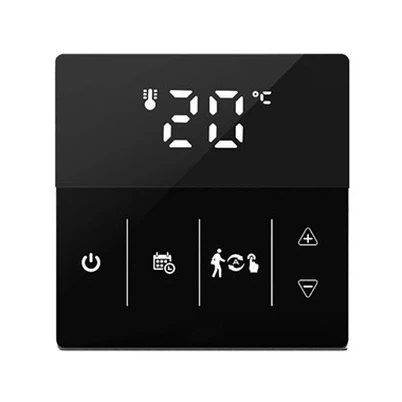
HYSEN HY316: Smart WiFi Thermostat — Quick WiFi Connection Guide
Leave a message
Upgrade your underfloor heating system with the HYSEN HY316 smart thermostat. Built for electric floor heating, water floor heating and gas boiler systems, this touch‑screen thermostat delivers precise temperature control, weekly scheduling, child lock and holiday mode for modern residential and commercial heating projects. Once connected to WiFi, you gain full remote access via Smart Life / Tuya App, plus voice control support for Alexa and Google Assistant to adjust room temperature anywhere at any time.
Step‑by‑Step WiFi Connection
Complete thermostat installation and power on the HY316 unit.
Long‑press the designated touch button for 3‑5 seconds until the WiFi icon blinks rapidly, the thermostat enters EZ pairing mode.
Download "Smart Life" or "Tuya Smart" App from Google Play or App Store, register and log in your account.
Tap "Add Device" inside the App, select Thermostat category, confirm indicator light is flashing.
Input your 2.4GHz WiFi name and password, then start device pairing.
Wait 30‑60 seconds. When the on‑screen WiFi icon stays solid, pairing is finished. You can now remotely control schedules, temperature and all functions from your smartphone.
After successful networking, you are allowed to set weekly heating schedules, share device access with family members, and trigger heating commands via voice speakers. Reliable connectivity makes HY316 a practical heating control solution for Europe housing renovation and new building projects.
If pairing fails, double‑check you are using a 2.4GHz WiFi, reboot the thermostat and repeat the above procedure.